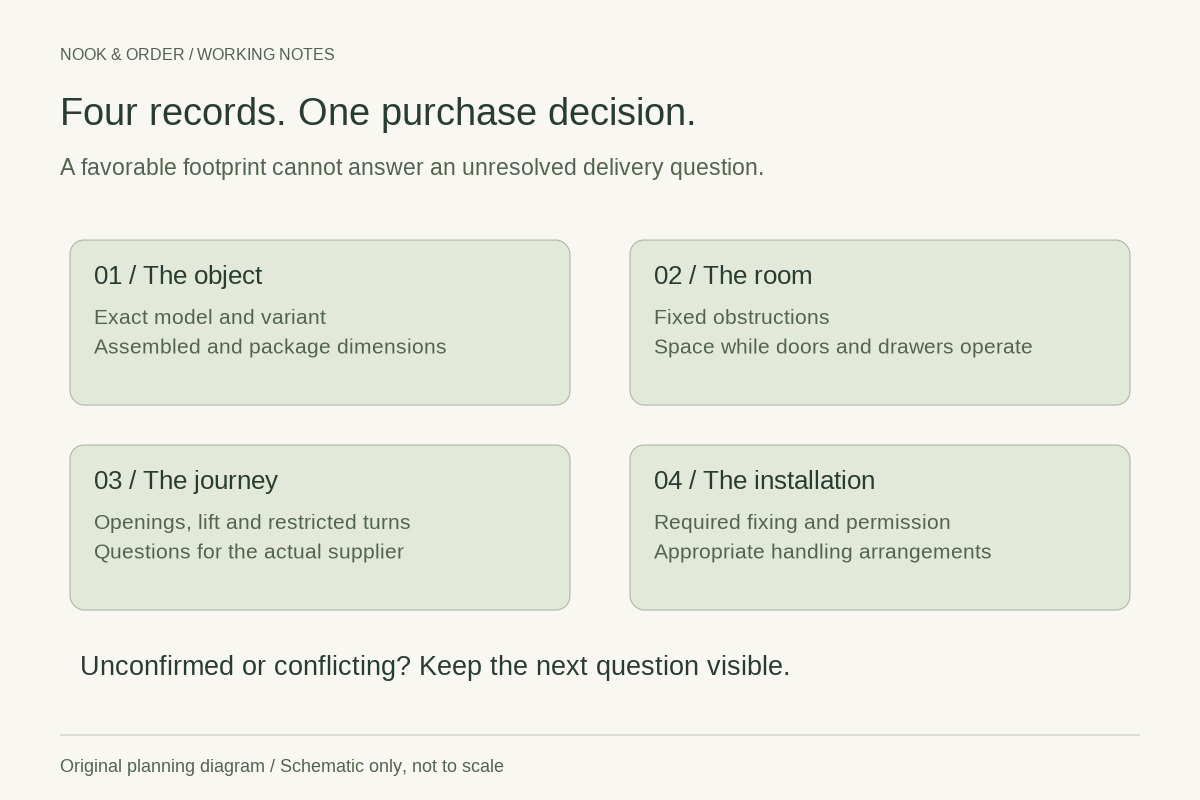
Measurements become useful when they lead to a decision. A notebook full of widths does not explain whether a particular cabinet is still waiting for package information, an installation answer or a workable room arrangement. This guide turns the measurements collected in our furniture measuring guide into a candidate record. The outcome is a short question sheet you can discuss with the supplier, rather than a declaration that an object will fit.
Give each candidate its own page
Write the exact model, variant and delivery format at the top. Include the product link and the date you recorded the information. Keep a competing cabinet on another page even if its name differs by only one letter. Record dimensions in the supplier's original units, then show any conversion separately. This makes a later correction traceable instead of silently changing the remembered size.
Next describe the job in one sentence: hold the active dining set while keeping the adjacent cupboard accessible, for example. Keep appearance preferences below that sentence. A candidate that cannot do the job should not remain in the comparison simply because it matches the room. Do not transfer an answer about one version to another without checking that it applies.
Distinguish evidence from a favorable impression
Beside each entry, write confirmed, unconfirmed or conflict. Confirmed means you have the relevant information, not that a website or delivery team has certified the whole plan. A listing can confirm a package width while leaving the turning route unresolved. A photograph can show the intended wall without establishing the depth available when a drawer is open.
Use conflict when two requirements cannot currently be met together. For instance, the specified anchoring arrangement may be unresolved under the property's permission process. That is more informative than leaving the whole candidate marked maybe. Avoid calculating an overall percentage that disguises a single decisive conflict. Seven favorable entries cannot cancel an unanswered installation requirement.
Send a question that contains the restriction
Replace “Will this fit?” with a question the supplier can investigate. Identify the candidate and package, attach a clear route sketch through the appropriate channel, and explain the restricted opening or turn. Ask what information they need and what their answer actually covers. Record whether they are discussing a package, an assembled object or an approved disassembly method.
IKEA Taiwan's delivery information identifies access through the building as a pre-order consideration. Its regional delivery arrangements do not establish what another seller will do. Obtain the actual seller's service scope. Do not treat a reply about access as permission to remove building components or as a promise that the crew will improvise a handling method.
Keep installation outside the appearance comparison
The CPSC's Anchor It guidance emphasizes following manufacturer instructions to secure furniture and televisions. A storage unit described as freestanding can still need anchoring. Put the actual installation requirement on the candidate page, alongside the permission and appropriate installation arrangements. Do not replace a required fixing with extra weight, an adhesive guess or a reassuring photograph.
If the permitted installation cannot be resolved, leave the candidate blocked and investigate another suitable option. This page is a planning record, not an installation tutorial. The person responsible for installation needs the exact product, wall conditions and relevant requirements. A retailer's general styling suggestion cannot answer those questions on behalf of an installer or property owner.
Compare the remaining candidates by the same job
Once decisive requirements are addressed, compare the useful differences. Keep three short notes: what the candidate makes easier, what daily work it introduces, and what remains unknown. A cabinet with more enclosed space might require a longer return action; a smaller unit might leave the active set without a destination. Describe those consequences in the terms of the original household task.
Include assembly space, delivery scope, care and eventual removal where relevant. Record actual quoted costs separately from unknown costs. Read the transaction's failed-delivery and return conditions directly; this guide does not interpret them. If a missing cost could change the decision, obtain it before treating the comparison as complete. A sale deadline does not supply missing evidence.
A hypothetical comparison with an unresolved turn
Imagine two cabinets for the same wall. Candidate A has confirmed assembled dimensions but arrives assembled, with a tight landing still unresolved. Candidate B arrives in documented packages but needs installation permission that has not been obtained. Neither is ready merely because its closed footprint suits the wall. A needs a delivery answer; B needs an installation answer.
The useful next step is not to choose the candidate with fewer blank fields. Write the question for each responsible party and preserve the answers separately. If A's route cannot be confirmed, that candidate remains unresolved even after B's permission arrives. This hypothetical example demonstrates evidence handling; it does not describe a tested delivery or identify which furniture is suitable for a real home.
Close the record with a decision and a reason
End with one of three statements: proceed subject to the actual purchase arrangements, do not proceed, or wait for a named answer. Add the reason and the relevant document reference. Keep the note with the exact product information so a later change of variant prompts a review.
Use the furniture purchase check to keep the evidence statuses together. Its dimensions are a record only: it does not simulate rotations, assess lifting or establish access clearances. If uncertainty remains, the record has still done useful work by making the unresolved question visible before payment.
PUT THIS GUIDE TO WORK
Make a supplier question sheet
Use one row per candidate. Keep a decisive conflict visible even when other entries are confirmed.
| Check | Record or try | If it does not work |
|---|---|---|
| Exact candidate | Model, variant, delivery format and record date | Recheck if any identifier changes. |
| Restricted stage | Package or assembled object, route sketch and specific question | Ask the supplier what they can confirm. |
| Installation | Actual fixing, permission and appropriate installer | Pause a candidate with unresolved requirements. |
Finish when: The decision and its reason are recorded, including any named answer still awaited.
Pause when: A route, installation or mandatory product requirement is unresolved.